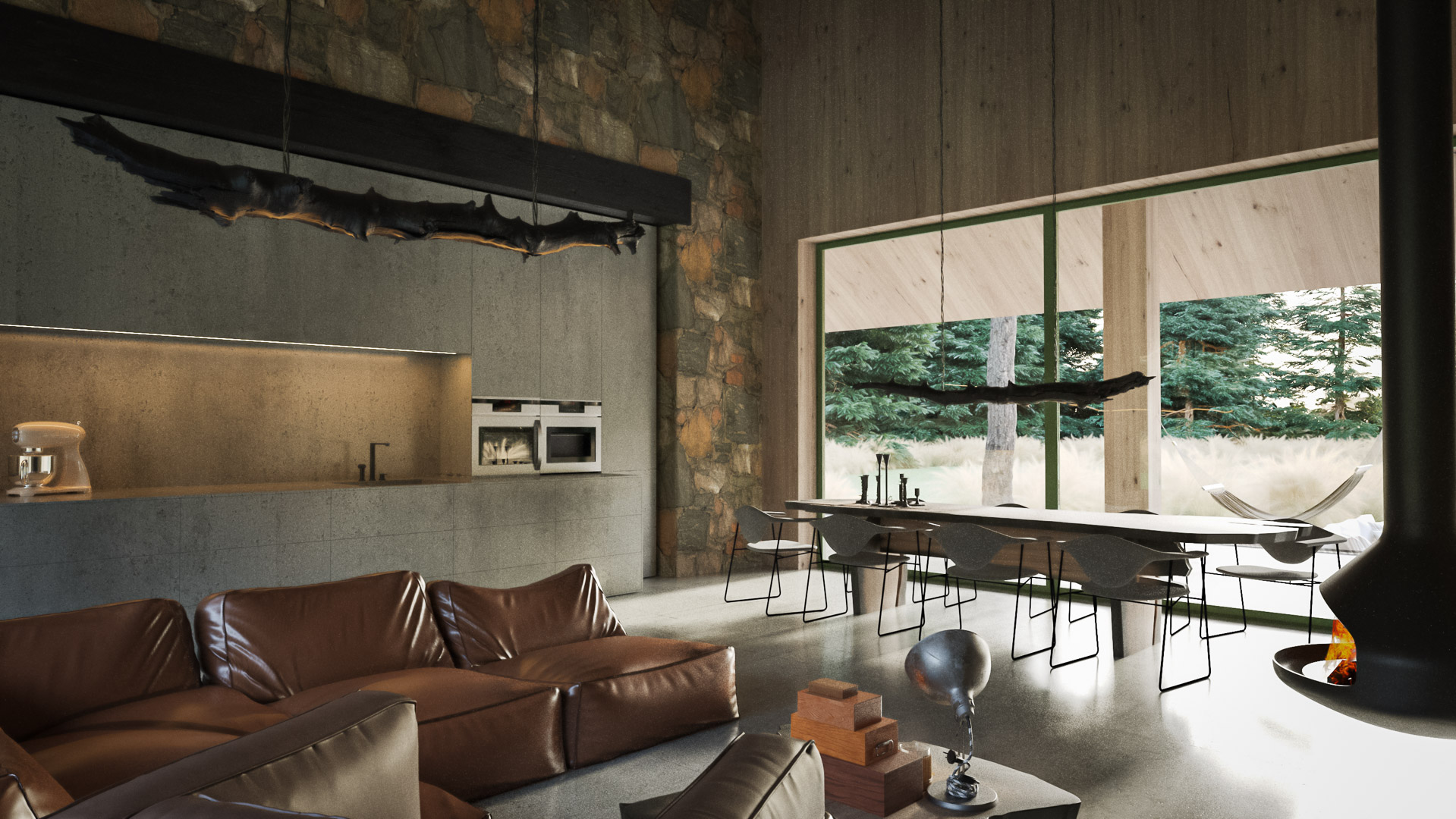
Save hours on every
ArchViz project in 3ds Max
35+ free tools in one 3ds Max panel
+4 PRO tools to Automate batch rendering, camera management
and missing-texture fixes and much more
so you spend your time on the design, not the setup.
No card needed · Lifetime activation code · 3ds Max 2021-2027
2000+ downloads
- Trusted by ArchViz artists in 30+ countries
- Featured on CGPress, DigitalProduction
- Compatible with 3ds Max 2024-2027
- Works with V-Ray & Corona and other
EXCELLENT Based on 1 reviews Posted on Facebook Architekt CezaryrecommendsTrustindex verifies that the original source of the review is Facebook. Fantastic free plugins for 3ds Max! They significantly speed up our daily ArchViz workflow. Highly recommended for any 3D artist!Posted on Facebook Hasimadutu CremindrecommendsTrustindex verifies that the original source of the review is Facebook. It's really Nice Plugins, Campro So Cool! Batch Render also Works Flawless, It's Good to have nice plugin to work wasterPosted on Facebook Ela JanowskarecommendsTrustindex verifies that the original source of the review is Facebook. Great plugins! They have completely upgraded my workflow. My 3D work is faster, more organized, and way more convenient now. Huge time saver. 👏🏻
The work that eats your evenings - automated.
- Batch renders, set up by hand. One camera at a time, one click at a time.
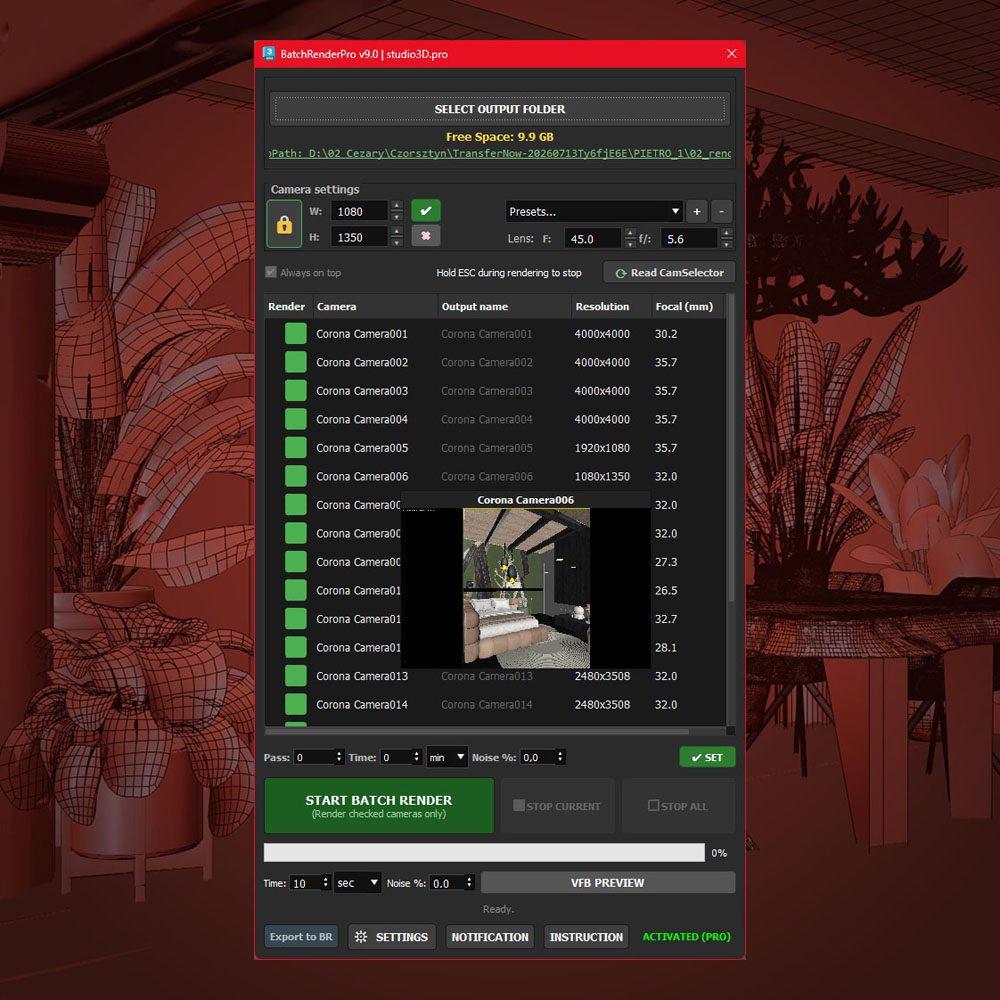
→ Batch Render Pro queues every camera and messages you on Telegram as each frame lands. - Missing textures at 11 PM. Hunting broken paths the night before a deadline.
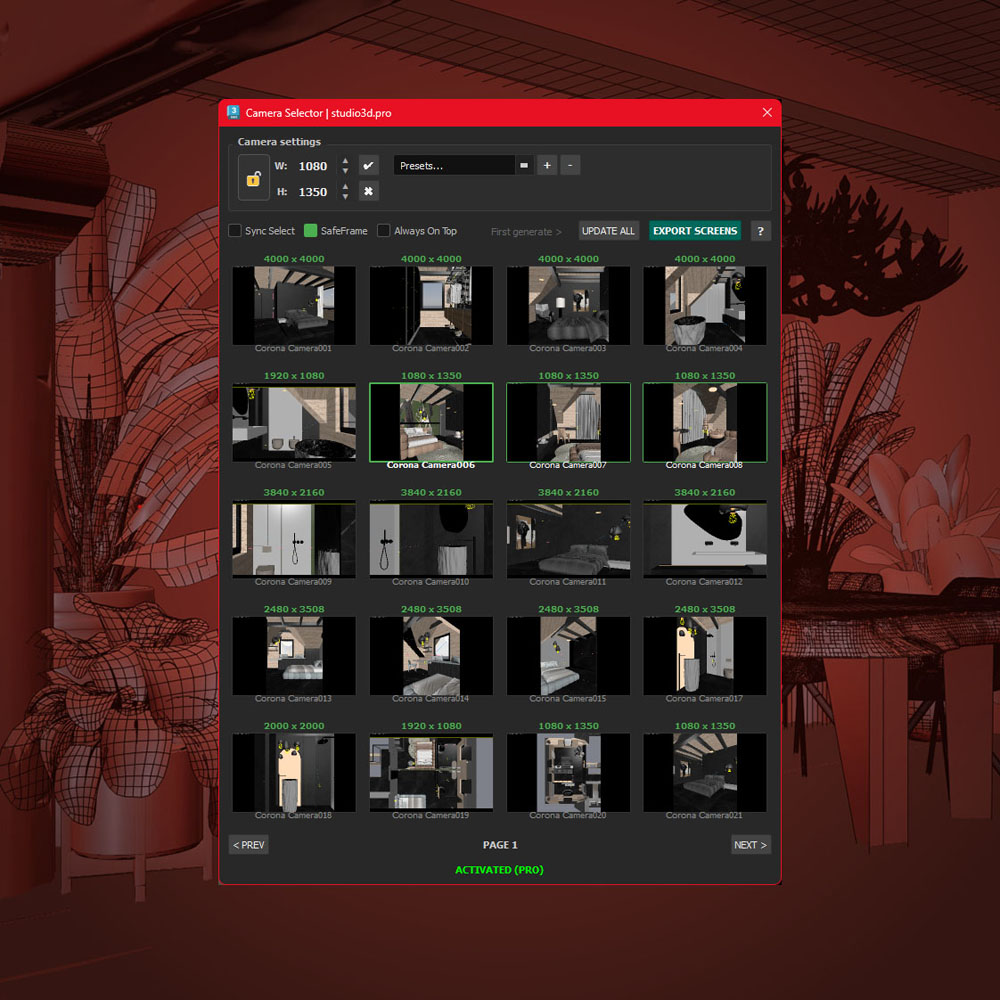
→ Relinker Pro finds and reconnects every missing map, proxy and IES in one pass. - 40 cameras, no thumbnails. Scrolling a list to find one view.
→ Cam Selector Pro turns them into a visual grid you scan in seconds. - The Layer Explorer that slows you down. 3ds Max’s native layer manager lags on heavy scenes.
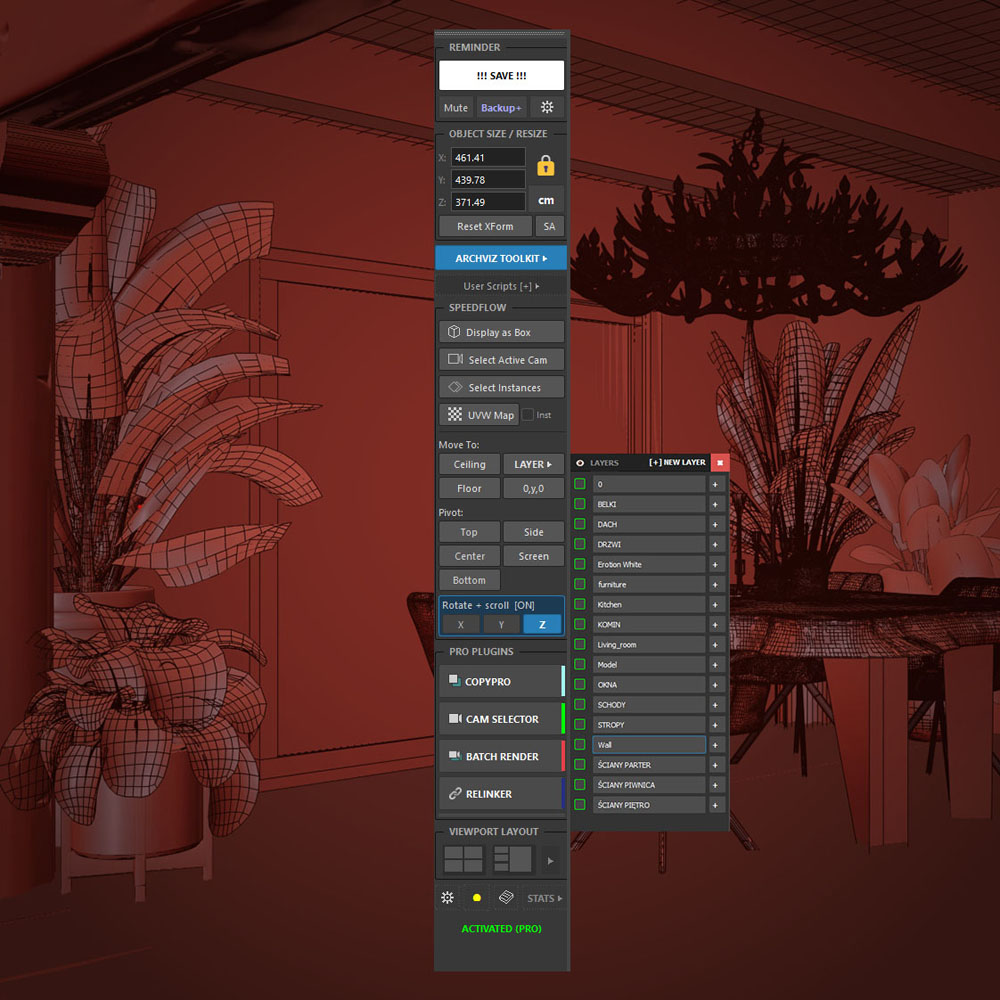
→ ArchViz Toolkit gives you a lightweight layer manager that stays fast even on huge scenes – hide, isolate and organize in one click, right from the dockable panel – free.
Everything that speed up your 3ds Max day.
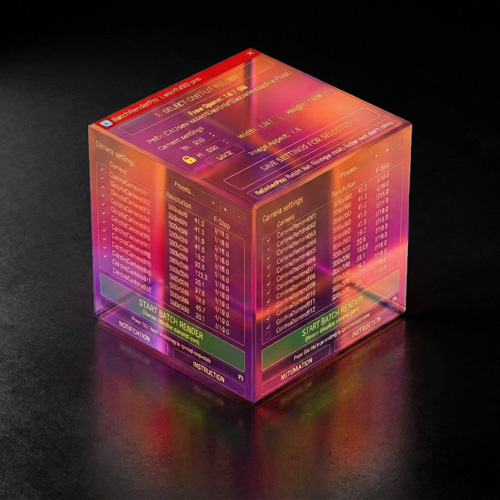
Batch Render Pro – Every camera in your scene, queued and ready to render the moment you hit start.
Camera Selector Pro – See all your cameras as a visual thumbnail grid and jump to any view in seconds.
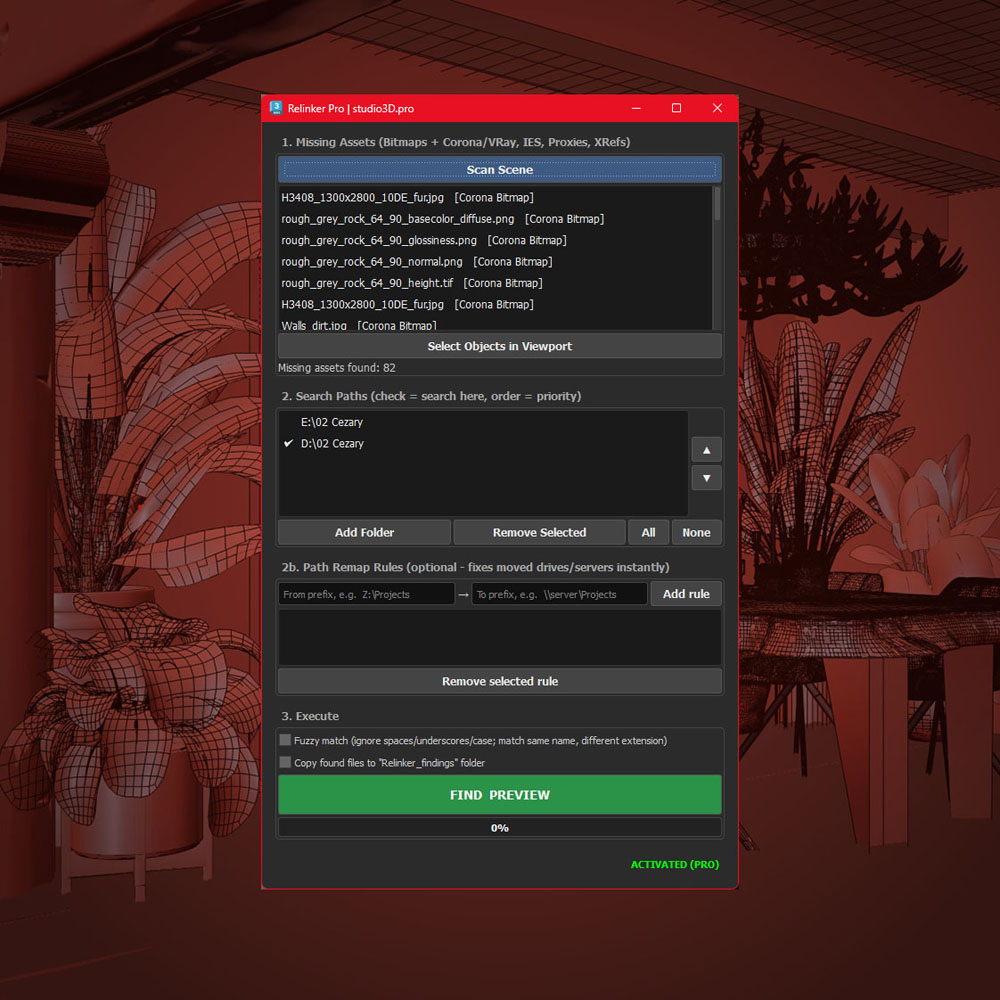
Relinker Pro – Find and reconnect every missing texture, proxy and IES in one pass.
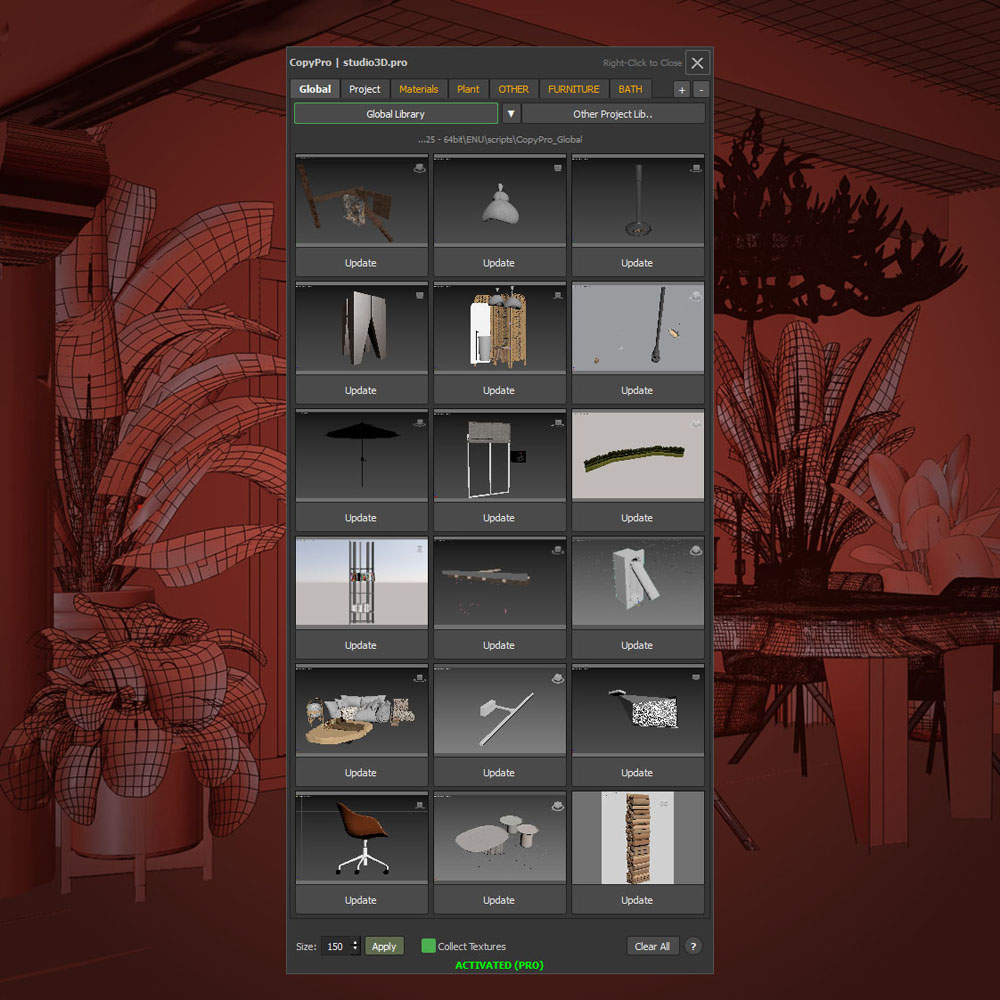
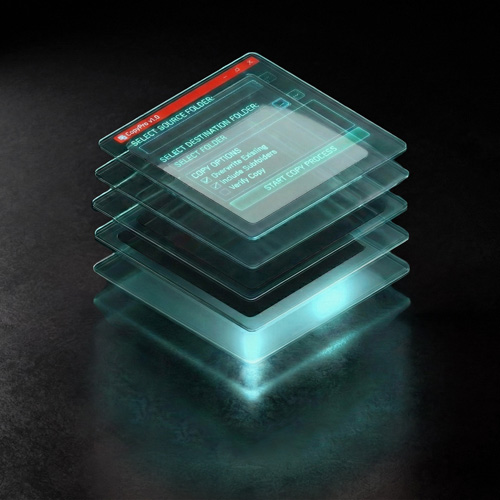
Copy Pro – Copy models between scenes with their textures, ready to merge anywhere.
ArchViz Toolkit – Deep-buried Max functions brought to a single click – plus a game-changing lightweight layer manager. Free.
Pick the level that fits your workflow
Everything you need to get started.
Lifetime activation code
- ArchViz Toolkit free panel
- 35+ free tools
- One-click save, backup and resize
- Lightweight layer manager
- Camera, pivot tools and much more
- Free updates via newsletter
All five tools, one artist, one price.
One-time, 1 seat
- Batch Render Pro
- Cam Selector Pro
- Relinker Pro
- Copy Pro and ArchViz Toolkit
- Updates within the current version
For studios that want to future-proof.
One-time, lifetime license
- Everything in Pro Pack
- All future plugins included
- Lifetime updates, every new Max version
- Priority support and early access
- 3 seats for your team
Tools and pipeline built around you.
By quote, booked directly with the developer
- Custom plugin built for your workflow
- 1:1 render pipeline setup, remote
- Direct line to the developer
- Priority feature development
- Limited slots per month
All plugins work with 3ds Max 2021-2027, Corona and V-Ray. 21-day trial on every PRO tool.
Prefer just one tool? Buy individually
Or get all five in the Pro Pack for $49 instead of $84 – save $35.
Automating Batch Renders in 3ds Max
Batch Render Pro – 3ds Max 2024-27
Every camera in your scene, queued automatically and ready to render the moment you run plugin.
✓ One-click render previews of every camera before you commit
✓ Automatic render queue, no manual setup
✓ Per-camera resolution and lens
✓ Stop by pass, time or noise
✓ Save CXR, EXR, PNG, JPG and more at once
✓ A Telegram message with a JPG as each frame lands
Visual Camera Grid in 3ds Max
Camera SelectorPro – 3ds Max 2024-27
Turn a long list of cameras into a visual grid of live thumbnails you scan in seconds.
✓ See every camera at a glance, no more scrolling a list
✓ Batch rename with smart auto-numbering
✓ Set per-camera resolution in one place
✓ Export a JPG of every camera on the page
✓ Fly through hundreds of cameras with the scroll wheel
Copying 3D Models with Textures Between Scenes
CopyPro – 3ds Max 2024-27
Copy/paste models between scenes with their textures intact, ready to merge anywhere.
✓ Carries materials and maps along with the geometry
✓ No broken textures after the transfer
✓ Move assets between projects in seconds
✓ Drop straight into any scene, ready to render
Relink Missing Textures, IES Files, Proxies
Relinker Pro – 3ds Max 2024-27
Find and reconnect every missing texture, proxy and IES in a single pass, no more path hunting and do it faster with Python engine.
✓ Scans the whole scene for broken links at once
✓ Reconnects maps, proxies and IES files automatically
✓ Points every asset to the right folder in one click
✓ Clear report of what was missing and what got fixed
ArchViz Toolkit - free plugin
ArchViz Toolkit – free plugin
Deep-buried Max functions brought to a single click, plus a game-changing lightweight layer manager.
✓ Fast layer manager that stays smooth on huge scenes
✓ One-click save, backup and resize
✓ Handy camera and pivot tools
✓ Everyday Max functions, one click instead of five
✓ Free, with a lifetime activation code
faq - Everything you need to know
Which 3ds Max versions are supported?
Every plugin was tested with 3ds Max 2024 – 2027. Each new yearly version is added as it comes out, so you stay compatible as you upgrade.
Does it work with Corona and V-Ray?
Yes. All tools are built and tested for Corona and V-Ray. The core functions are renderer-agnostic, so most other engines work too.
How does the 21-day trial work? Do I need a card?
No card needed. Just subscribe, download the plugin and you get full access for 21 days with every feature unlocked. It is the whole tool, not a limited demo, so you can test it on real projects before spending anything.
What happens when the trial ends?
The plugin simply stops running until you activate it with a license. Nothing is removed from your scenes, and you can buy and activate at any time to pick up exactly where you left off.
Is this a one-time payment or a subscription?
One-time. You pay once and the plugin is yours, with no recurring fees. Studio Lifetime also includes every future update and every new plugin at no extra cost.
How many computers can I use one license on?
A single plugin or Pro Pack license activates on one machine. Studio Lifetime covers three seats for your team, and larger studios can contact me for a custom license.
Do I get free updates, including new 3ds Max versions?
Pro Pack and single licenses include updates within the current version. Studio Lifetime includes lifetime updates, so every new 3ds Max version and every future plugin is covered for good.
Can I get a refund?
The 21-day free trial lets you test everything on your own projects before you pay, so you buy only once you know it fits your workflow. If you hit a technical problem after purchase, contact me and I will make it right.
How do I install the plugins?
You get a simple installer and a short setup guide. Installation takes about a minute, and the tools appear as a dockable panel inside 3ds Max, ready to use.
How do I get support?
Support comes directly from me, the developer who built the tools, by email and WhatsApp/Telegram. Studio Lifetime and Bespoke clients get priority responses.
How do I batch render all cameras in 3ds Max?
The manual way is to set up each camera and output one at a time in Render Setup. Batch Render Pro automates it: every camera in your scene is queued automatically, with per-camera resolution and format, and you can generate preview renders of all of them in one click before you commit.
How do I find and fix missing textures in 3ds Max?
Missing maps usually mean broken file paths after moving a project. Relinker Pro scans the whole scene at once and reconnects every missing texture, proxy and IES file automatically, then shows a clear report of what was fixed, instead of hunting paths by hand at 11 PM.
How do I manage a lot of cameras in 3ds Max?
The native camera list gives you names but no visuals, so finding the right view means scrolling and guessing. Cam Selector Pro turns every camera into a grid of live thumbnails you scan in seconds, with batch renaming, per-camera resolution and JPG export of every view.
How do I copy objects between scenes with their materials in 3ds Max?
Merging often breaks textures because the maps do not come along. Copy Pro moves models between scenes with their materials and maps intact, so assets drop into any project ready to render, with no broken links to fix afterward.
about me
I am not just a programmer isolated from reality.
I am a photographer and graphic designer with a long track record in ArchViz. For the last 6 years I have created visualizations for dozens of interior designers and architects, and before that I spent 12 years as marketing director for a high-end interior-design retail chain, so I know what makes an interior sell, not just render.
These plugins were not created in a boardroom, they were born from experience, out of my own frustration with the repetitive manual tasks that eat the time you would rather spend on the creative work. Every tool here was originally written for my own projects. Now I am sharing them, so you can work smarter, not harder.
Contact
- info@studio3d.pro